



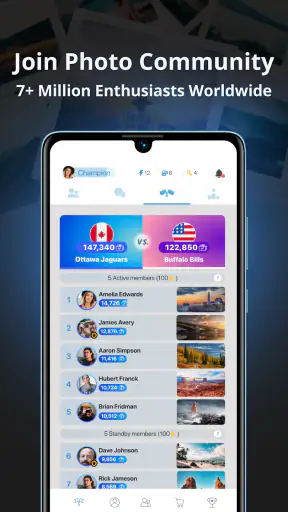

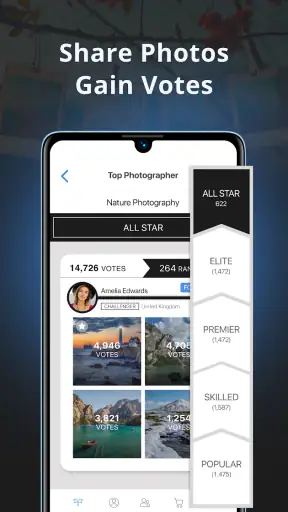
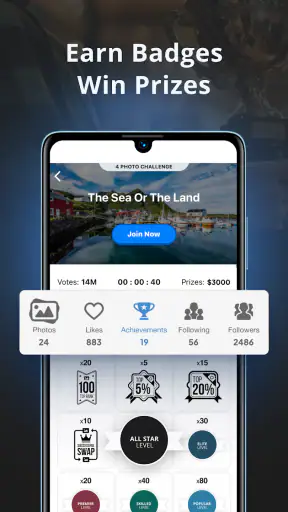
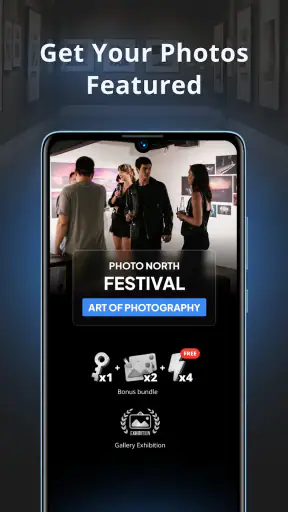
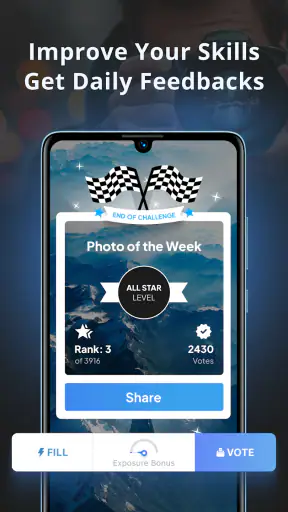
I approached GuruShots: Photo Game as a photography app with a competitive twist rather than as a conventional camera or editing tool. Its central idea is simple: I submit photographs to themed challenges, see how they perform within the community, and use that process to improve my choices. That focus changes the experience completely. Instead of opening an app only when I want to adjust a picture, I return because there is a reason to choose, prepare, and share one.
That makes it an interesting fit for anyone who already takes photos and wants more structure around the habit. The app is free to download, belongs to the Photography category, and is developed by GuruShots Ltd. It is aimed at Teen users, so I would treat it as a community competition rather than a private photo notebook. The current Android release is version 5.53.0, and it supports devices running Android 7.0 or later.
Turning photo sharing into a repeatable challenge
The capability I found most important is the challenge-based way of presenting photography. The app does not merely give me a place to upload an image; it gives me a prompt and a reason to compare my interpretation with other people’s work. That small shift is useful because it removes some of the uncertainty that often surrounds casual photography. When I walk around with no particular goal, I may take pictures without knowing whether they are worth keeping. A challenge gives me a filter before I even press the shutter.
In practice, this is less about discovering one perfect photograph and more about making decisions. I have to decide which image matches the theme, whether the subject is clear enough, and whether the composition still works when viewed beside many other submissions. That last point matters. A photograph that looks attractive in my camera roll can feel ordinary in a busy challenge, while a simpler image with a stronger idea may stand out more effectively.
The real strength is the feedback loop between taking a photo, entering it, observing its reception, and trying again. I would not describe that as a replacement for a photography course, but it can make practice feel more purposeful. The app encourages me to notice recurring weaknesses: flat lighting, a distracting background, a subject that is too small, or an image that technically matches a theme without communicating it clearly.
The reward element also gives the process a game-like rhythm. I can understand why that appeals to people who struggle to maintain a regular creative routine. A normal gallery app waits for me to bring it something. This one gives me a reason to return and make another selection. For some users, that gentle pressure will be motivating; for others, it may make photography feel more like a contest than an art form.
How the challenge workflow feels in everyday use
I would begin by browsing the available themes and looking through the photographs already associated with them. That browsing stage is more useful than it first appears. It helps me understand how broadly or narrowly a subject is being interpreted, and it prevents me from submitting an image that technically fits but feels disconnected from the mood of the challenge.
After choosing a photograph, I would pause before uploading it. My practical advice is to compare two or three possible images rather than submitting the first one that comes to mind. Look at the thumbnail size, not just the full-screen version. In a competitive feed, a clear silhouette, strong color separation, or instantly readable subject can matter more than a collection of tiny details that disappear when the image is viewed small.
This is one of the less obvious lessons the app can teach: challenge photography rewards immediate visual clarity, but clarity is not the same as simplicity. A detailed street scene can work if there is one obvious point of interest. A technically polished landscape can struggle if the eye has nowhere to settle. I found that thinking in terms of the first second of viewing helped me choose better submissions than judging only by zoomed-in sharpness.
The community aspect adds another layer. I am not simply storing photographs for myself; I am placing them in a shared environment where other images influence my expectations. That can be encouraging when I discover fresh approaches to a familiar theme. It can also be humbling, especially when a photograph I like receives less attention than expected. I think users should enter with a learning mindset, because a result in one challenge is not a final verdict on their ability.
The app’s public popularity suggests that this format has found a substantial audience. It has passed five million installs and holds an average rating of 4.1 from roughly forty-nine thousand ratings, with about three thousand nine hundred written reviews. Those figures do not tell me whether I will enjoy every challenge, but they do indicate that this is an established community experience rather than a deserted experiment.
A realistic use case: making a weekday walk more intentional
Imagine I finish work with half an hour before going home. Without a prompt, I might take a few random pictures of buildings, traffic, or the evening sky and forget about them. With a suitable challenge in mind, I can turn that same walk into a small assignment. I start looking for repeating lines, reflections, a particular color, or an unusual human moment. The walk becomes active observation instead of passive scrolling.
When I get home, I can review the images and select the one that communicates the idea most quickly. That review step is where the app’s competitive framing becomes useful. I am no longer asking only, “Do I like this?” I am also asking, “Will another viewer understand why I chose it?” That distinction has improved my editing judgment more than endlessly applying filters would.
This workflow is especially helpful for smartphone photographers. A phone is always available, but convenience can lead to careless shooting. The challenge gives everyday cameras a purpose without requiring special equipment or a long trip. It can also work for someone returning to photography after a break, because the prompt provides a manageable starting point.
There is a social benefit too, although I would keep expectations realistic. Sharing through a challenge can feel more focused than posting a general album because the theme gives viewers a common reference. It becomes easier to discuss why an image works. At the same time, people who want a quiet personal archive may find the competitive setting distracting. This is not the app I would choose as my only place for private memories or carefully organized family albums.
What I would do before submitting a photograph
My first tip is to separate capture from selection. While taking pictures, I would collect several interpretations of the theme instead of trying to force one scene to work. Later, I would remove images with weak edges, unclear subjects, or distracting bright spots. This sounds basic, but the challenge environment makes those flaws more visible than they are in a personal camera roll.
My second tip is to keep a small record of what I learn from each result. I would note whether my strongest images tend to use close framing, bold color, unusual angles, or human presence. Over time, that creates a personal pattern library. The useful outcome is not simply earning a reward; it is understanding which decisions consistently make my photographs easier to read.
My third tip is to avoid changing a photograph beyond recognition just to chase attention. Strong contrast or dramatic color can help an image survive a fast-moving feed, but excessive editing may weaken the original idea. Since the app is centered on sharing and challenges rather than replacing a full editing suite, I would prepare images with a separate editor when I need precise retouching, then use GuruShots for the selection and community stage.
That division of labor is important. Someone looking for advanced exposure controls, layers, masking, or a complete professional workflow should use a dedicated camera or editing application. GuruShots: Photo Game is more valuable after the photograph exists, when I need motivation to choose it, show it, and learn from the response.
The trade-off between motivation and competition
The same competitive structure that keeps the app engaging can also become its main source of friction. If I care too much about ranking or rewards, I may start making photographs for immediate approval instead of following my own curiosity. That is a real risk for beginners, who can mistake popularity for quality. A photograph may attract attention because it is instantly striking, while a quieter image may have stronger storytelling or personal meaning.
I would therefore use the results as clues, not instructions. If an image performs poorly, I would ask whether the theme was unclear, the composition was crowded, or the thumbnail lacked impact. I would not automatically conclude that the photograph was bad. This attitude keeps the game useful without allowing it to define my taste.
Another consideration is spending. The app is free, but it includes in-app purchases ranging from forty-nine cents to ninety-nine dollars and ninety-nine cents per item. I would start without buying anything and decide whether the basic experience is satisfying first. The competitive design can make optional purchases feel tempting, particularly when I am invested in a challenge. Setting a personal limit before playing is sensible if I know I tend to spend more when trying to improve a result.
The Teen content rating is also worth considering for families. I would not present the app to a younger child without checking whether the community and competitive environment suit them. For teenagers and adults who can handle public comparison constructively, it may be a positive creative outlet. For someone who is particularly sensitive to judgment, a private gallery or a small trusted group could be a better starting point.
There is a difference between this app and the usual alternatives in photography. A standard gallery focuses on storage and organization. A camera app focuses on capture. An editing app focuses on changing the image. A social network usually emphasizes following people and maintaining a broad feed. GuruShots combines photography sharing with themed competition, so its distinctive value lies in giving me a prompt and a reason to evaluate my work in context.
That combination is also why it will not suit everyone. If I want full control over image quality, metadata, file management, or detailed editing, I would choose specialized tools. If I want an unpressured place to keep personal pictures, I would choose a private gallery. If I dislike rankings, rewards, or comparing my work with strangers, the app’s central appeal may feel like a distraction rather than a benefit.
Who gets the most from the experience
I think the strongest audience is the person who already takes photographs but needs a reason to practice consistently. The app can turn a vague ambition—“I should take more pictures”—into a concrete task. It is also a good match for people who enjoy friendly competition, like seeing different interpretations of one idea, and are willing to treat feedback as part of the learning process.
Beginners can gain a lot if they use the challenges to study composition instead of chasing rewards. Looking at many submissions teaches a practical lesson that tutorials sometimes hide: there are several valid ways to approach the same theme, but each successful image usually communicates its main idea quickly. More experienced photographers may enjoy the constraint, especially when a prompt pushes them away from their usual subjects.
Casual phone photographers can use it as a reason to explore their surroundings, while hobbyists with dedicated cameras can use it as a selection exercise. In both cases, the app works best when I bring my own photographic goals. It can encourage me, but it cannot substitute for learning light, composition, timing, or responsible editing.
I would skip it if my priority is a polished professional portfolio, private photo management, or a powerful all-in-one camera studio. I would also be cautious if competitive feedback tends to affect my confidence. The app is at its best when the challenge is a prompt, not a judgment, and when rewards remain a small extra rather than the reason I photograph.
My final recommendation
After using it as a photography challenge rather than a conventional camera utility, I see GuruShots: Photo Game as a focused way to make photo practice more active. Its best feature is not simply the ability to share an image; it is the structure around choosing one. Themes, community comparison, and rewards give ordinary walks and everyday phone photos a clearer purpose.
The experience does require some self-control. I would avoid treating community response as an objective measure of talent, and I would be careful with optional purchases. I would also keep a separate camera or editing app for technical work. Used alongside those tools, this app fills a different role: it helps me notice subjects, make deliberate selections, and return to photography regularly.
With a free entry point, support for older Android devices, and a large existing audience, it is easy to try without committing to a complicated setup. My recommendation is strongest for photographers who want prompts and friendly competition. If that sounds like you, start with several images, review them at thumbnail size, and focus on what each challenge teaches. Use the game to sharpen your eye, not to replace your own judgment.


